
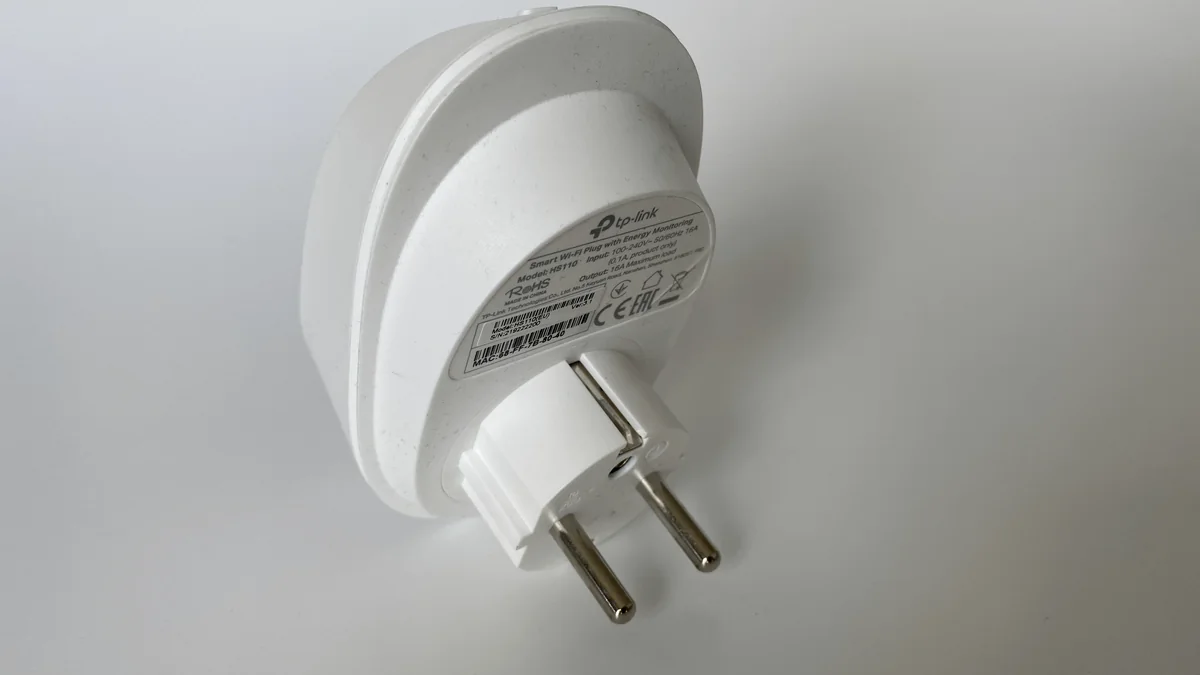
Start with the appliance, not the app
Write down exactly what you want to control.
A lamp on a timer is a very different electrical load from a heater, refrigerator compressor or power tool.
Before comparing ecosystems, find the appliance label and check:
- voltage;
- current;
- wattage;
- motor/compressor rating where relevant.
Then compare those numbers with the smart plug’s published load limits.
If the appliance manufacturer or smart-plug manufacturer says the combination is not suitable, stop there.
Step 1: identify the load type
Smart-plug ratings can distinguish between:
- resistive loads;
- incandescent loads;
- motors;
- power adapters;
- other appliance categories.
A simple “15A” headline does not tell the whole story.
TP-Link’s own support guidance for the Tapo P125/P125M, for example, lists different guidance for motors, heaters, power adapters and other loads.
Use the exact model’s documentation.
Do not assume a smart plug is safe for a high-inrush or safety-sensitive appliance because the normal running wattage looks low.
Step 2: choose the ecosystem
Once the electrical fit is clear, decide where the plug should live digitally.
Common ecosystems include:
- Apple Home;
- Google Home;
- Amazon Alexa;
- Samsung SmartThings;
- manufacturer-specific apps.
If you already use one platform, compatibility with that platform is more important than having a long list of logos.
Matter can improve cross-platform interoperability, but the exact device still needs to be commissioned through a compatible controller and network.
Step 3: understand Wi-Fi, Thread and hubs
Wi-Fi plugs
Usually connect directly to 2.4GHz Wi-Fi.
Advantages:
- no proprietary hub;
- simple for one or two plugs.
Tradeoffs:
- every plug becomes a network client;
- Wi-Fi coverage matters.
Thread/Matter-over-Thread plugs
Use a low-power mesh protocol and require a compatible Thread border router/controller.
Advantages:
- can integrate well into a Thread-based smart home.
Tradeoff:
- extra infrastructure may be required.
Hub-based plugs
Use Zigbee or another proprietary/standard protocol through a hub.
These can be efficient when many devices already share the same hub ecosystem.
Choose the network architecture you already own rather than buying a protocol acronym in isolation.
Step 4: measure the outlet
Check product dimensions.
A smart plug can block:
- the second receptacle;
- adjacent power-strip sockets;
- a nearby wall switch;
- furniture clearance.
Compact body design is a real feature.
If you plan to install two plugs on one duplex outlet, verify the manufacturer shows that arrangement or compare the dimensions yourself.
Step 5: define the automation before comparing features
Write one sentence:
“I want this plug to…”
Examples:
- turn a lamp on at sunset;
- switch holiday lights off at midnight;
- turn off a low-risk device after 60 minutes;
- follow a home/away routine.
This keeps you from paying for features you never use.
If the automation can create a hazard when triggered unexpectedly, the appliance may be a poor smart-plug candidate.
Step 6: check what happens after a power outage
Power-restoration behavior can matter.
Look for documentation about whether the outlet returns:
- on;
- off;
- previous state.
For lamps, any of those may be manageable.
For networking equipment or other important devices, unexpected behavior can be disruptive.
Step 7: decide whether energy monitoring matters
Some smart plugs report energy use; others do not.
If that feature matters, verify it on the exact hardware version.
Also check where the data appears. A manufacturer app may show information that your Matter platform does not expose in the same way.
Do not assume Matter certification means every vendor-specific feature appears everywhere.
Step 8: check indoor/outdoor rating
Indoor smart plugs are not automatically suitable for garages, patios or damp areas.
Look for the exact environmental rating.
If the product is indoor-only, use it indoors.
A weather cover does not necessarily convert an indoor electrical product into an outdoor-rated one.
Final checklist
- Appliance load type is supported.
- Voltage/current/wattage limits are respected.
- Ecosystem compatibility is confirmed.
- Network/hub requirements are understood.
- Plug body fits the outlet.
- Automation is safe if triggered unexpectedly.
- Power-outage behavior is acceptable.
- Indoor/outdoor rating matches the location.
- Hardware version matches the documentation.
Bottom line
The best smart plug is not the one with the longest feature list.
First prove that the electrical load is appropriate. Then choose the ecosystem and network method. Finally, add the automation.
That order keeps convenience from hiding the part of the decision that actually matters most.