
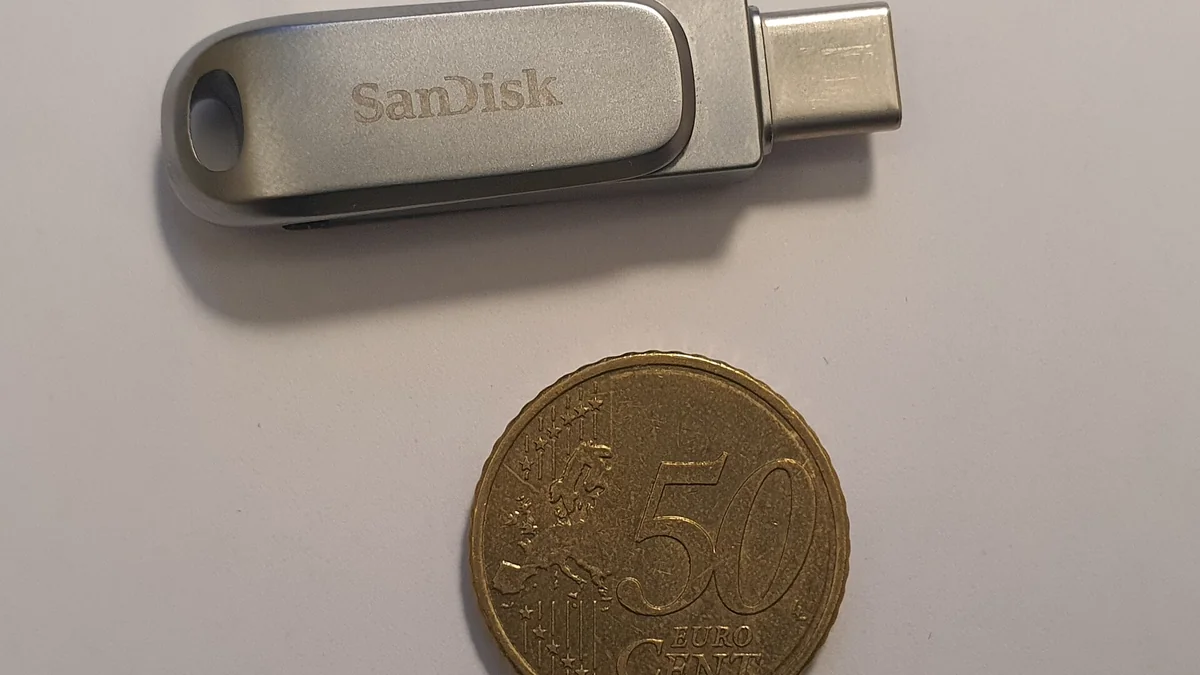
Short answer
Choose an external SSD for large transfers, active project work, bigger capacities and repeated use. Choose a USB flash drive when tiny size, low cost and simple file handoff matter more than sustained performance.
A flash drive is excellent for carrying a handful of documents or installers. A portable SSD is usually the better tool for video, photo libraries, backups and working datasets.
Core differences
| Factor | External SSD | USB flash drive |
|---|---|---|
| Sustained workload | Better suited | Usually lighter-duty |
| Capacity options | Commonly larger | Often smaller |
| Physical size | Pocketable, but larger | Extremely small |
| Replaceable cable | Usually yes | Often built-in connector |
| Active project work | Better fit | Less ideal |
| Quick file handoff | Good | Excellent |
Performance is more than the connector
Both product types can use USB-C or USB-A. The connector does not tell you the internal storage architecture or sustained speed.
An external SSD typically uses an SSD controller and NAND configuration designed for larger continuous workloads. Flash drives vary widely, and many prioritize cost and size over sustained write behavior.
USB-IF’s USB4 architecture shows how high the host connection can scale, but the real transfer rate is always limited by the slowest part of the chain.
A 40Gbps-capable laptop port does not make an inexpensive flash drive perform like a high-end SSD.
External SSDs are better for large working sets
If you move hundreds of gigabytes, edit directly from the drive or maintain a large photo/video library, the external SSD category is the better starting point.
Benefits commonly include:
- higher sustained transfer capability;
- larger capacities;
- better thermal management;
- stronger controllers;
- clearer specifications;
- replaceable cables.
Those are category tendencies, not guarantees. Always check the exact model.
Flash drives win on convenience
A small USB flash drive can live on a keychain or in a laptop pouch with almost no space penalty.
That makes it ideal for:
- presentation files;
- firmware installers;
- document handoff;
- emergency utilities;
- small media collections.
Because the connector is often integrated into the body, there is no cable to lose.
The tradeoff is that the tiny enclosure leaves less room for cooling and robust internal hardware.
Capacity changes the economics
Portable SSDs commonly become more attractive as capacity needs grow.
If you need multiple terabytes, an SSD is usually a more natural product category than a tiny thumb drive.
For 32GB or 64GB of occasional file transfer, a flash drive can be cheaper and simpler.
Do not compare only cost per gigabyte. Compare the workload and how often the device will be used.
Durability is not one simple winner
A flash drive has no cable and few exposed moving parts, but its connector can be damaged if it sticks out of a laptop and gets bumped.
An external SSD uses a cable, which creates another item to manage, but rugged models can offer documented drop or ingress protection.
Samsung’s T7 Shield, for example, publishes model-specific durability information. That does not mean every portable SSD is rugged.
The important question is what failure mode matters for your use:
- being crushed in a bag;
- connector damage;
- water/dust exposure;
- losing a very small device.
Security and encryption
Both categories can support software or hardware security features, but implementation varies greatly.
If sensitive data is involved, check the exact encryption method and operating-system support rather than assuming “password protection” means strong encryption.
For many users, OS-level encryption is simpler than relying on a vendor utility.
Backup: neither should be the only copy
A portable SSD and a flash drive can both fail, be lost or be stolen.
If the data matters, keep another copy somewhere else.
The external SSD is better suited to structured backup because of its capacity and speed, but it does not become a complete backup strategy by itself.
Which should you buy?
External SSD: large media, active editing, frequent transfers, big backup sets, multi-hundred-gigabyte projects.
USB flash drive: quick file exchange, small utilities, presentation files, travel documents, inexpensive spare storage.
Both: use an SSD for main portable storage and keep a small flash drive for emergency or handoff tasks.
Bottom line
The external SSD is a storage device for ongoing work. The USB flash drive is a convenience device for lightweight transfer.
Choose based on workload rather than size or connector. When the files become large, frequent or valuable, the stronger sustained behavior and capacity of an SSD usually justify the extra space and cost.
What about boot drives and portable applications?
Some users want portable storage for bootable installers, recovery tools or applications.
A flash drive is convenient for a small recovery environment because it is tiny and inexpensive. An external SSD makes more sense when the portable environment itself is large or performs frequent reads and writes.
Operating-system boot support varies by platform, and some software licenses restrict portable use, so verify those requirements separately from the storage hardware.
Connector design changes risk
A thumb drive plugged directly into the side of a laptop creates a rigid lever. If the laptop is moved while the drive is attached, the connector can take the impact.
An SSD on a short flexible cable can move independently, though it adds cable clutter.
For a travel workflow where the drive remains connected while working, the cabled SSD can actually be easier to position safely. For a five-minute file handoff, the integrated flash-drive connector is faster and simpler.
A final decision rule
If the drive will be connected for hours at a time, carry a large working set, or become part of a repeatable backup routine, start with an external SSD. If the job is simply “move this folder to that computer,” a flash drive remains hard to beat for simplicity.